Did you receive a suspicious link?
Review the domain, urgency signals, and risk result before opening the page or entering credentials.
How to check a linkOn-device anti-phishing analysis
Check suspicious links, QR codes, text, and screenshots before opening a website or entering personal information.
Analyzed content is not sent to a server for phishing detection.
Edge protection
EdgePhishGuard combines local models, security rules, Bloom Filter checks, and contextual analysis to warn only when the configured risk threshold is exceeded.
Real situations
Mobile phishing uses text messages, messaging apps, email, notifications, QR codes, or fake pages to pressure you into revealing credentials or personal data. Smishing is phishing delivered through text messages.
Before opening a link, check the sender, domain, and urgency cues. Copy or share the content with EdgePhishGuard for local analysis.
Review the domain, urgency signals, and risk result before opening the page or entering credentials.
How to check a linkLearn how to spot quishing and analyze the URL hidden in a QR code from the camera or a saved image.
How to check a QR codeImport a screenshot or use the camera to extract text and URLs with OCR before starting local analysis.
See the OCR flowKey features
The goal is not only to flag dangerous links, but to explain why the content is risky and what the user should do before opening it.
Paste, type, or share content from another app to estimate risk without sending the message or link to the Internet.
Detects Spanish or English and routes the text to the matching local model before combining risk signals.
Extract links from screenshots, photos, screens, or QR codes with a visual flow designed for fast review.
Reviews compatible notifications and content shared from other apps to raise phishing alerts in real time.
Shows final probability, detected language, suspicious pattern, blacklist signal, domain, and security recommendation.
The user controls when warnings appear; the initial recommended value is above 50% risk.
Technical pipeline
The flow combines language, structure, and reputation signals to reduce noise and warn only when there is enough evidence.
Android experience
The app shows risk, evidence, and recommended action without hiding the technical detail.
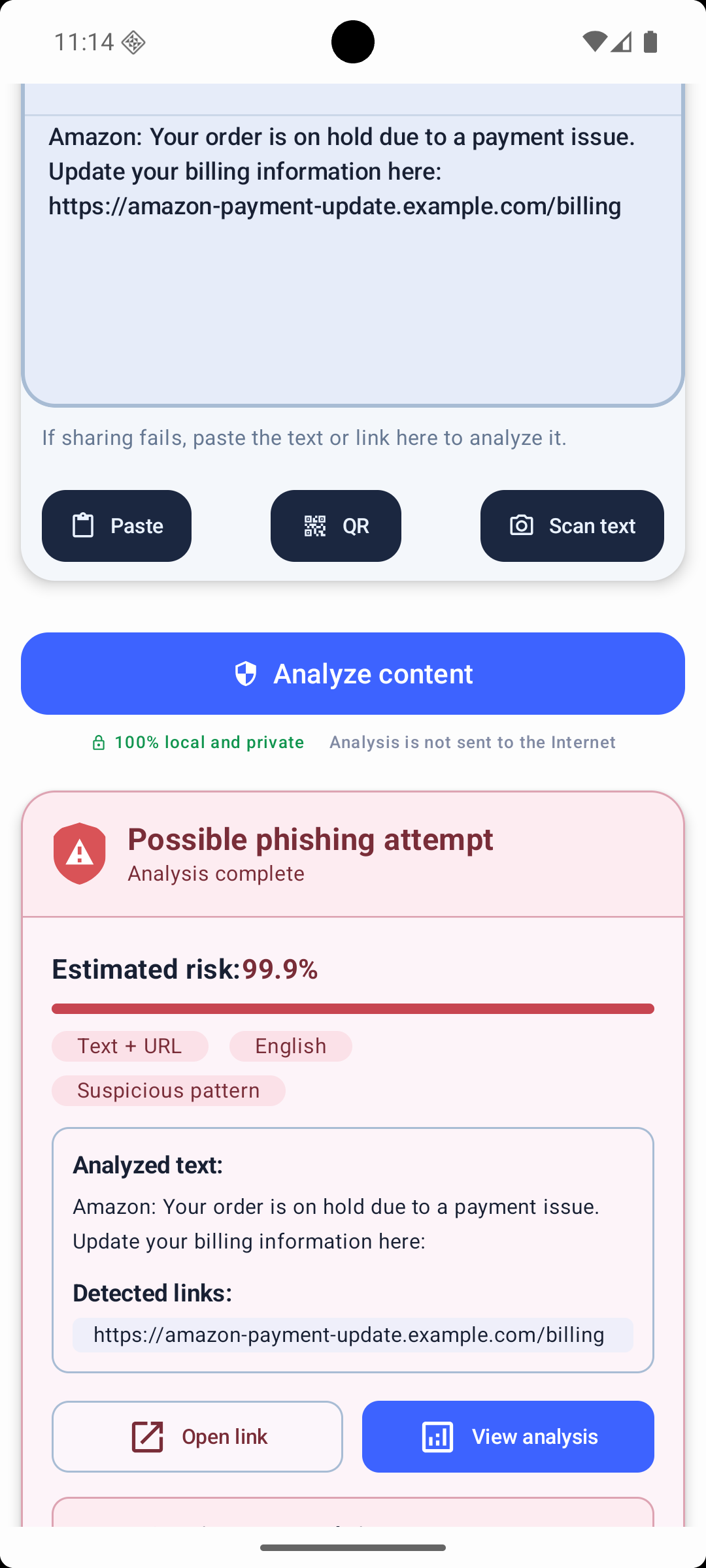
When risk is high, EdgePhishGuard shows the detected link, triggered signals, and a direct recommendation to avoid entering credentials or personal data.
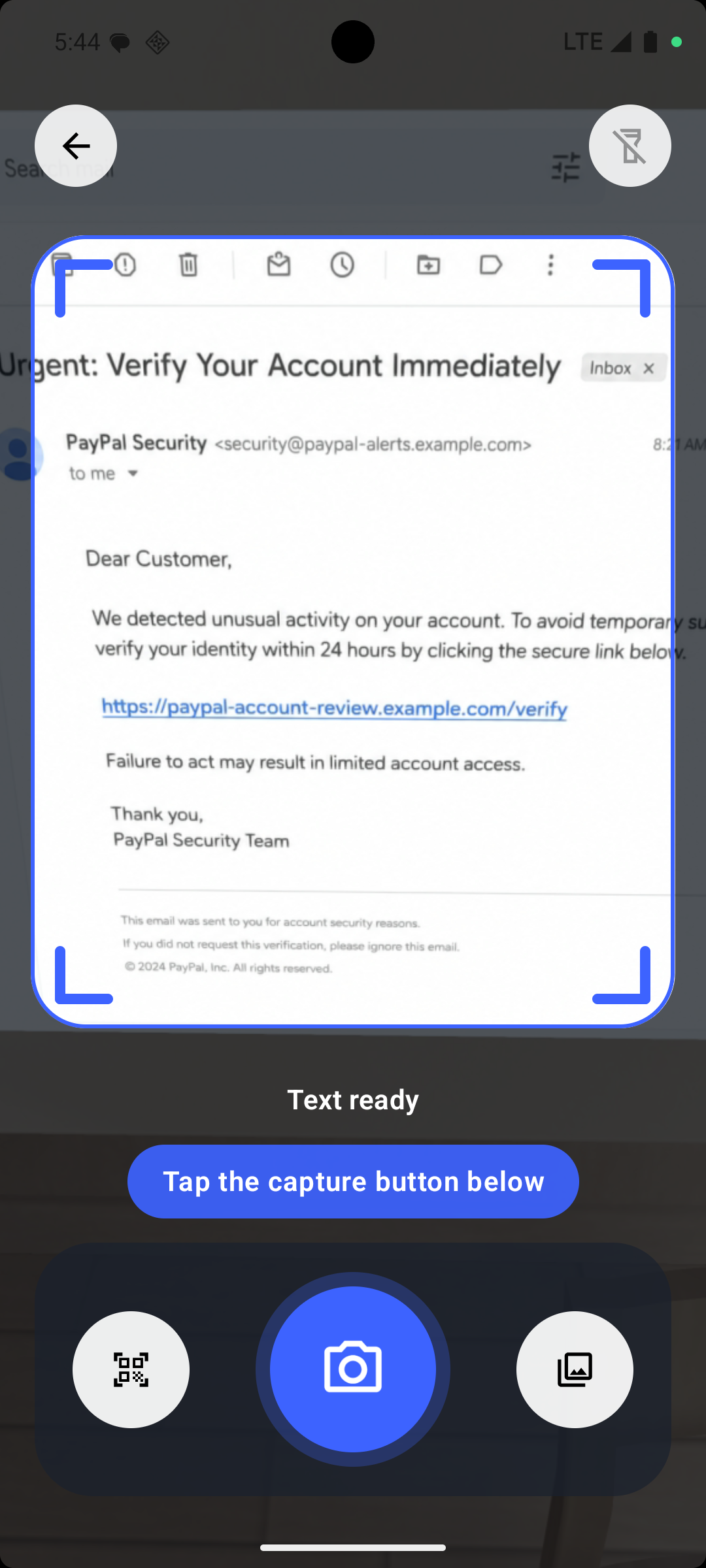
The user can frame a message, page, or screenshot, select recognized text blocks, and extract only URLs or the full text.
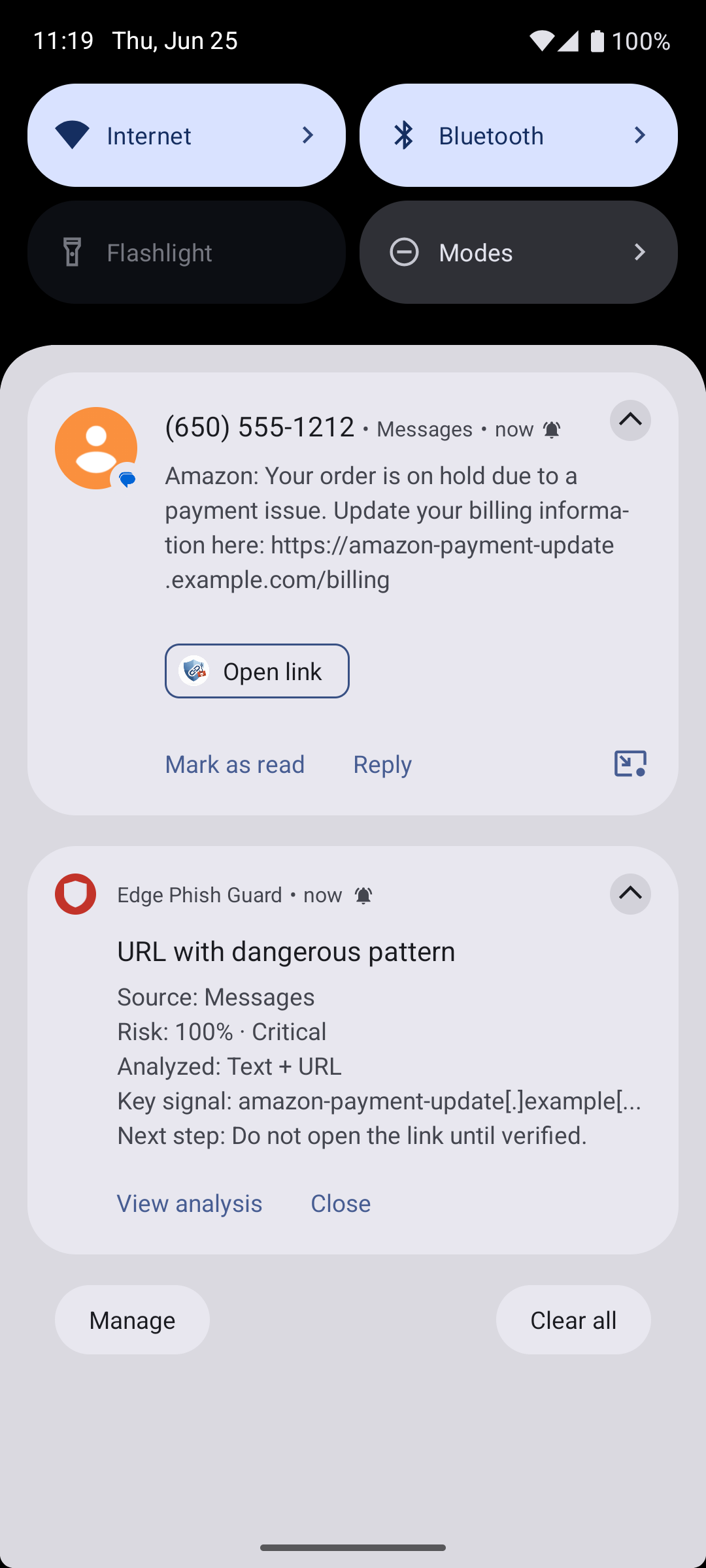
Protection can detect suspicious content in compatible notifications and display a warning before the user opens the link.
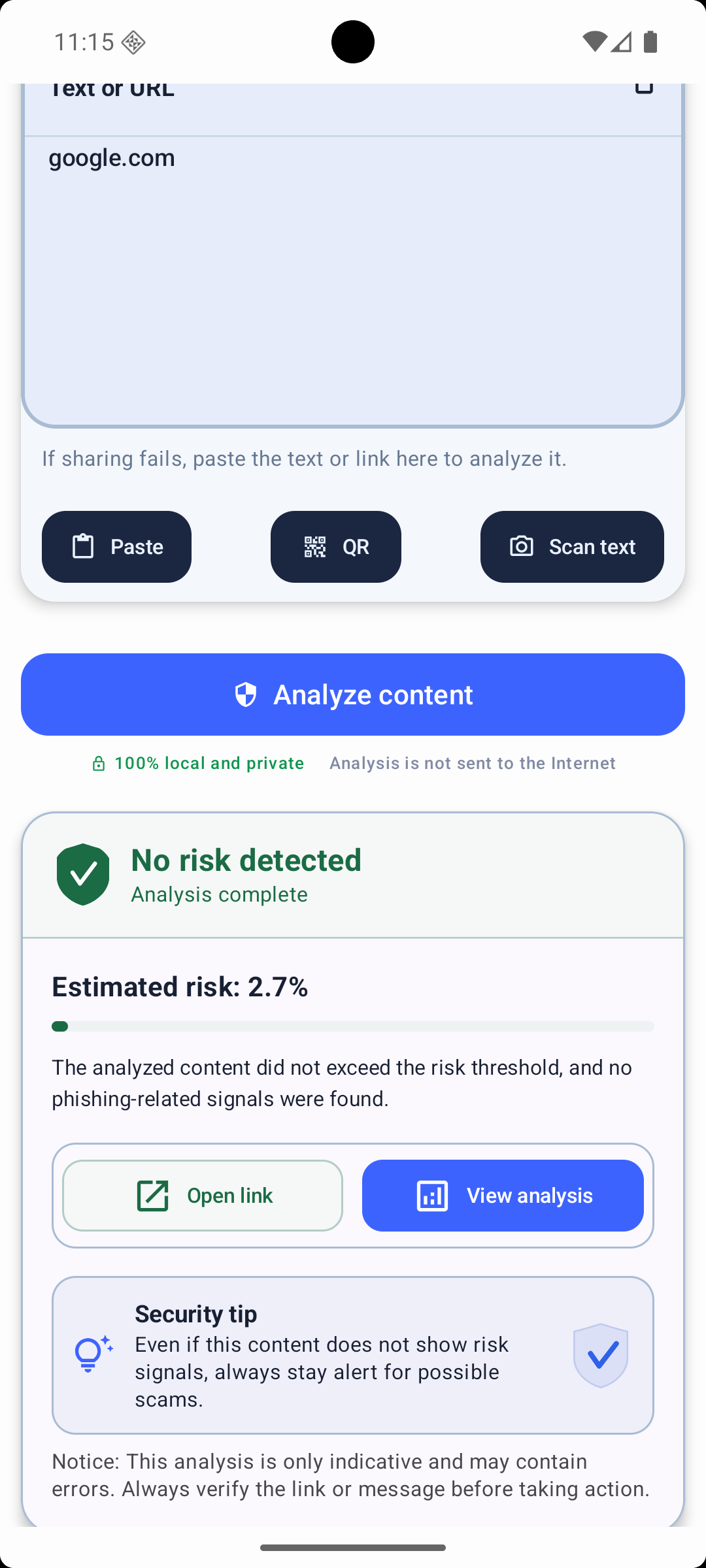
If the content does not exceed the threshold, the app says so clearly while keeping technical analysis available.
Official download
Install EdgePhishGuard from its official store listing.

Privacy by design
EdgePhishGuard is designed to review threats without turning the user's messages into content sent to an analysis server.